
Box Of Synths manualThe synth
How dials, sliders and keys behave
Drag direction, fine adjust, reset, typing a value, the mouse wheel, right-click menus, read-outs, units and the coloured arcs, for every control in the app.
Every dial, slider, key, menu and check in Box Of Synths follows the same few rules. Learn them once and they work everywhere. Gestures that name Alt mean Option on a Mac.
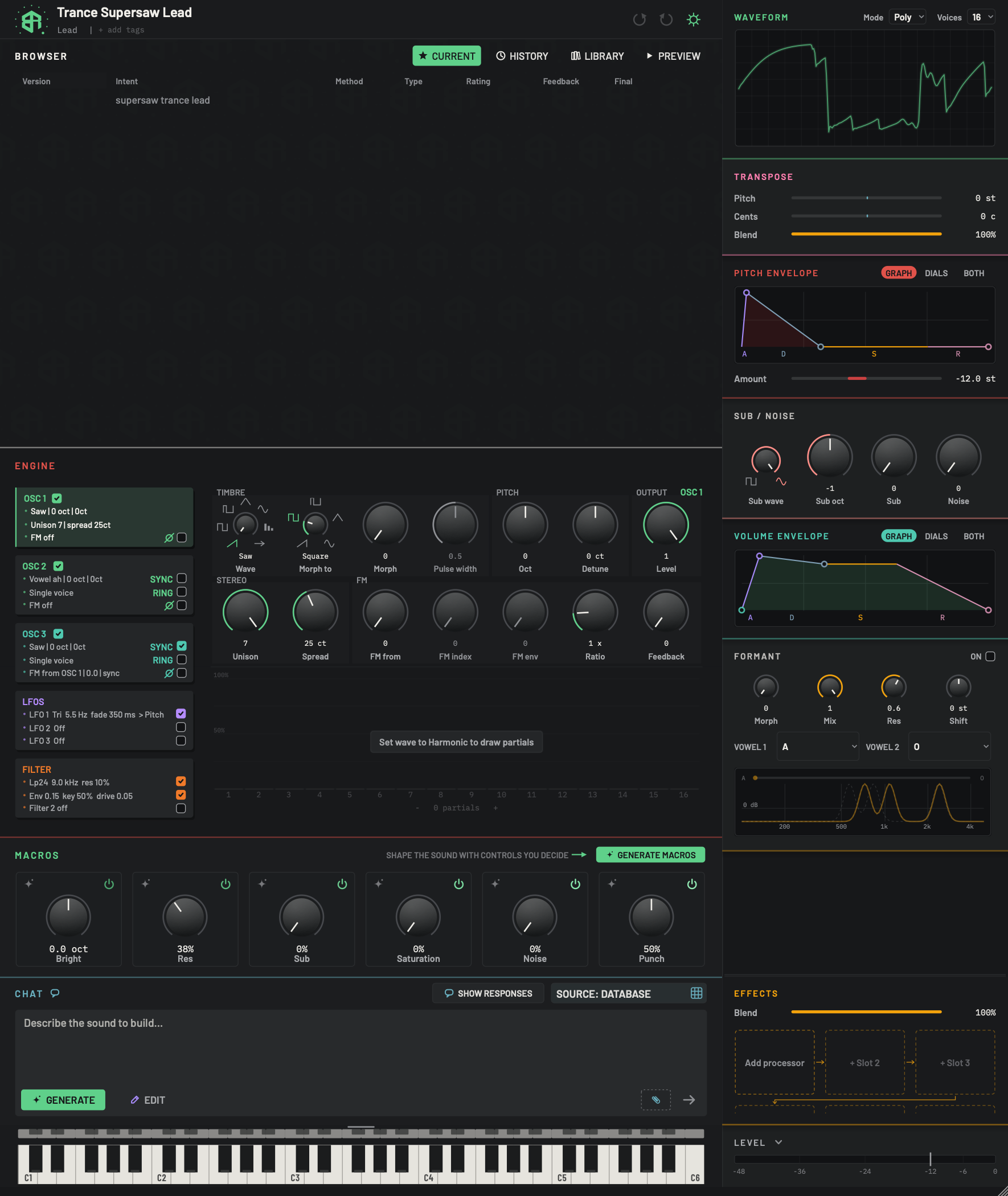
One picture, one example of each kind of control. The rules for each kind are in the text of How dials, sliders and keys behave.
-
2SliderSlider
A slider: name on the left, a thin track, and the reading on the right, here 0 st. Click or drag on the track and the value goes where the pointer is. Click the name to go to the lowest value and the reading to go to the highest, unless Click slider to reset is on in Settings, when either click resets instead.
Alt(Optionon a Mac) click resets at once.A slider that runs both ways from zero, as this one does, has zero at its middle. The coloured part grows from the middle.
-
3One-way sliderSlider
A slider that starts at the left end. The coloured part runs from the left end to the thumb, here all the way across at 100%.
-
4Selector dialDial
A dial that steps through named choices. Drag it and it clicks from one mark to the next, about 26 pixels per step. Right-click it for the whole list.
-
5Smooth dialDial
A dial that moves smoothly. The ring is the travel, and the coloured arc is the value. This is Detune, which runs both ways from zero, so the arc grows from the top.
-
6Dial from the leftDial
A dial that starts at the left end of its ring, so the arc runs from there to the pointer. This is Level.
-
7ChecksSwitch
A small square that is hollow when off and filled with a tick when on. Click to switch. Some have a word beside them, as these do, and some a glyph or nothing at all.
-
8Greyed dialDial
A dial that is greyed has no effect right now. Here Pulse width does nothing on a saw wave. It still shows its value, and hovering it says why.
Dials
Drag up to turn it up and down to turn it down. Hold Shift while dragging for fine steps. Alt-click (Option on a Mac) puts it back to where it started. Double-click to type a value. With the dial clicked, the arrow keys move it one step at a time.
A dial is a ring with a cap. The ring is the travel, and the coloured arc is the value.
| You want to | Do this |
|---|---|
| Raise the value | Press on the dial and drag up or to the right |
| Lower the value | Drag down or to the left |
| Move finely | Hold Shift while you drag. The dial moves at about a fifth of the speed |
| Go back to the starting value | Alt click the dial |
| Type an exact value | Double-click the dial |
| Step by keyboard | Click the dial, then press the up or right arrow to raise it and the down or left arrow to lower it. A step is one percent of the range, or one notch on a dial that steps |
| Open the link menu | Ctrl click the dial, or right-click a dial that has no menu of its own |
How a drag works:
- The dial moves exactly as far as your hand does, with no coasting. About 220 pixels of drag cover the whole range.
- The drag follows the dial's own curve. Time dials are as fine near 5 ms as near 500 ms.
- While you drag, the pointer is hidden and can run past the edge of the screen. It returns when you let go.
- The sound follows every pixel. The whole drag is one undo step.
- Dials that step through named choices or whole numbers, such as Wave, Oct and Unison, move one notch for about 26 pixels of drag. This holds for any dial with twelve notches or fewer.
Reset
Alt click returns a control to its starting value. On the dials of the ENGINE block, the Sub / noise and Formant blocks and the effect panels, that is the standard value shown as the default on the page for that dial. On the sliders and dials of Transpose, the two envelopes and the effects Blend, it is the value the sound was designed with, or the standard value when the designer did not set one. A reset is one undo step.
Type a value
Double-click a dial and a small box opens over it with the number selected. Type and press Return. Clicking away does the same. Esc closes the box without a change. The box takes only digits, a point, a minus sign and %, up to 12 characters.
- A plain number is in the dial's own unit. If the dial reads in percent, a plain number is a percent.
- A number with
%is a share of the dial's travel:35%puts the dial 35 percent of the way along. - The value is held inside the dial's range.
The mouse wheel
The wheel never changes a dial. It scrolls the panel under the pointer, so you cannot nudge a sound by passing over a dial.
Sliders
A slider is a line with the name at the left and the reading at the right.
- Click or drag on the track, and the value goes where your pointer is.
- Click the name to go to the lowest value, and the reading to go to the highest. If Click slider to reset is on in Settings, either click resets the slider to its designed value instead.
Altclick anywhere on the slider resets it at once.- Double-click, arrow keys and right-click work as on a dial. There is no
Shiftfine adjust, because the thumb follows the pointer.
The pitch envelope's Amount is a slider in the GRAPH view and a dial in the DIALS and BOTH views. As a dial it follows the dial rules.
Keys, checks and menus
- A key is a labelled button. Click it once.
- A check is a small square that is hollow when off and filled with a tick when on. Click to switch it.
- A choice menu is a bordered key with a small arrow. Click it and a list opens with the current choice ticked. Click an item to pick it.
Esccloses the list. - A selector dial, such as Wave, steps through named choices when you drag. Right-click it to see the whole list at once.
Right-click
What a right-click does depends on the control.
- On a selector dial, such as Wave or an LFO Shape, it opens the list of every choice.
- On a few dials, such as Width and the pitch envelope Amount, it opens a short menu of its own.
- On a dial with no menu, it opens the LFO link menu, the same as
Ctrlclick. - On a macro card, away from its dial, it removes the macro.
- On an LFO link pill, it cuts the link.
- Right-click and drag on a dial sets how far the plugin's sidechain input pulls it down, from 0 to 1. A full range is about 140 pixels of drag.
Altright-click clears it.
What you see on a control
-
Hover tips. Rest the pointer on a dial and a tip says what it does. A dial with no tip of its own reads Adjust and the name, with its unit in brackets, for example Adjust attack (ms). A choice reads Choose and its name.
-
Read-outs. A dial shows its name at rest. When you point at it or drag it, the value fades in under it, in the dial's colour, and fades out after you leave. Sliders always show the value at the right.
-
Units.
ctis cents, a hundredth of a semitone.stis semitones.msis milliseconds. Frequencies are inHz. The filter card line and the Pre-amp mid band write thousands askHzorK.xis a multiplier.dBis decibels. A plain number is a share from 0 to 1, or a count. -
The grey ring is the full travel of the dial.
-
The coloured arc runs from the start of the ring to the value. On a dial that can go both ways from zero, such as Detune, Envelope on the filter, or a link depth, the arc grows from the middle, up and either way.
-
A pink arc on a dial, or a pink bar on a slider, is the sidechain reach, set by right-dragging.
-
A halo glows round a dial when you point at it.
-
A greyed dial has no effect right now, such as Pulse width on a saw wave. It keeps its value, and its hover tip says why.
-
While the chat is in Edit and the cursor is in its box, the dials on the macro cards light up.
Undo and redo
Every drag, reset, typed value and menu choice is one undo step. Use undo and redo in the header, see The header.
-
1Open the entry box
Double-click the Detune dial. A small box opens over it with the current number selected.
-
2Type a value
Type
12and pressReturn. The dial moves to 12 ct. Typing50%instead puts it halfway along its travel. -
3Fine adjust
Hold
Shiftand drag the dial. It moves slowly, so you can settle on an exact value. -
4Reset it
Hold
Alt(Optionon a Mac) and click the dial. It goes back to its starting value.